
Have you ever downloaded an image and noticed that its file extension is .jfif instead of .jpg or .png? Or perhaps you are unsure which image format is best for your website, logo, photographs, or digital projects.
JFIF, JPG, and PNG are closely related in some ways, but they are not identical. Understanding their differences can help you choose the right format, avoid compatibility problems, and manage image quality and file size more effectively.
In this guide, we will explain the differences between JFIF, JPG, and PNG, demonstrate how to convert an image using an online tool, cover the technical details, and answer common questions.
1. JFIF vs JPG vs PNG: What Is the Difference?
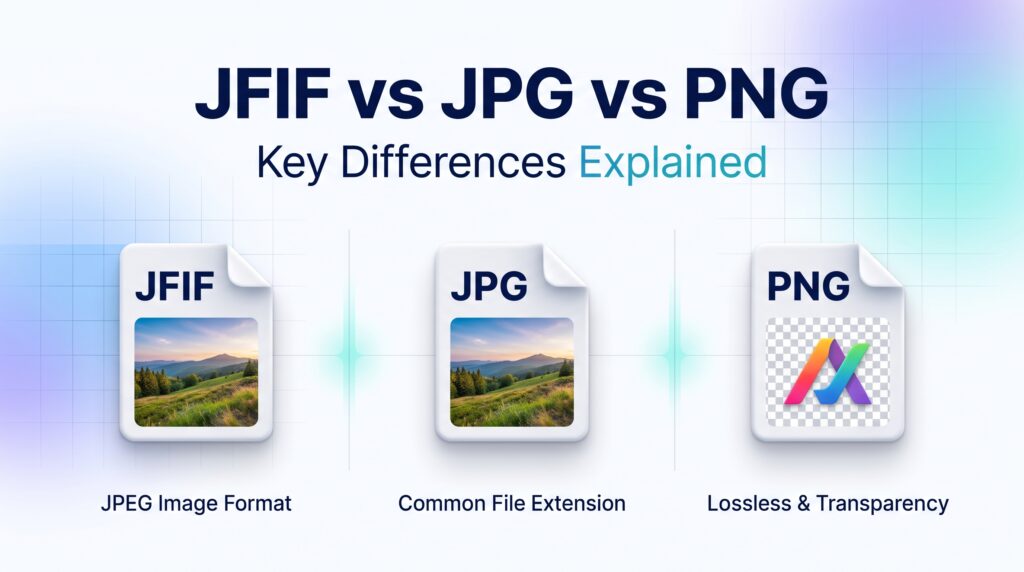
JFIF, JPG, and PNG are terms you may encounter when working with digital images. The most important difference is that JFIF defines a format for exchanging JPEG-compressed image data, JPG is a common filename extension for JPEG images, and PNG is a separate image format that supports lossless compression and transparency.
What Is a JFIF File?
JFIF stands for JPEG File Interchange Format. It defines how JPEG-compressed image data and related information can be stored in a file for compatibility between different applications.
JFIF files commonly contain photographs and other images encoded using JPEG compression. You might see a .jfif file when downloading an image from a website or saving a picture through a browser.
In many cases, a JFIF file can be opened by the same image viewers that support JPG or JPEG files.
Best for: JPEG-compatible images that use the JFIF file structure.
What Is a JPG File?
JPG is one of the most common filename extensions for JPEG images. JPEG compression reduces image file size by discarding some visual information, which makes it useful for photographs and web images.
JPG images are widely supported by browsers, operating systems, image editors, and digital cameras.
Best for: Photographs, product images, blog images, and situations where a relatively small file size is important.
What Is a PNG File?
PNG stands for Portable Network Graphics. It is a raster image format that uses lossless compression, meaning that the encoded image data can be decoded without introducing additional lossy compression.
PNG also supports transparency, making it useful for logos, icons, interface elements, screenshots, and graphics that need transparent backgrounds.
Best for: Transparent graphics, screenshots, illustrations, and images that benefit from lossless storage.
2. JFIF vs JPG vs PNG: Comparison Table
The following table summarizes the main differences between the three image formats.
| Feature | JFIF | JPG/JPEG | PNG |
|---|---|---|---|
| Full name | JPEG File Interchange Format | Joint Photographic Experts Group | Portable Network Graphics |
| Format type | JPEG interchange format | JPEG image encoding, commonly using .jpg or .jpeg | PNG image format |
| Compression | Commonly lossy JPEG compression | Usually lossy JPEG compression | Lossless compression |
| Transparency | No standard JPEG alpha transparency | No standard JPEG alpha transparency | Supports transparency |
| File size | Depends on the image and compression settings | Often small for photographs | Often larger for photographs |
| Image quality | Depends on the original JPEG encoding | Depends on compression settings | Preserves decoded image data without further lossy compression |
| Browser support | Depends on the browser and file handling | Very widely supported | Very widely supported |
| Common uses | JPEG-compatible image files | Photographs and web images | Logos, graphics, screenshots, and transparent images |
Which format should you choose?
- Choose JPG for photographs and images where smaller file sizes are important.
- Choose PNG for graphics that require transparency or lossless image storage.
- Keep JFIF if your existing workflow supports it, or convert it when another format is more convenient.
Remember that JFIF and JPG are closely related. They are not three entirely separate compression methods.
3. How to Convert JFIF to PNG Using an Online Tool
If you have a JFIF image but need a PNG file for a website, design project, or application, an online converter can help.
You can use the JFIF-to-PNG converter on JFIFtoPNG.online to convert a compatible image without installing desktop software.
Step 1: Open the JFIF to PNG Converter
Visit your converter page and check that the tool supports JFIF files as input and PNG as the output format.
Step 2: Upload Your JFIF Image
Click the upload button and select the .jfif file from your computer or mobile device.
Step 3: Start the Conversion
Click the conversion button and wait for the image to be processed. The time required depends on the file size, device, and processing method.
Step 4: Download the PNG File
Once the conversion finishes, download the generated PNG image to your device.
Step 5: Check the Converted Image
Open the PNG file and check that it displays correctly. If the image is being used for a website or design project, verify its dimensions and appearance.
Important: Converting JFIF to PNG does not restore image details that were already lost through JPEG compression. It changes the way the decoded image is stored, rather than recovering the original photographic information.
Also, converting a JFIF image to PNG does not automatically make its background transparent. Transparency must be present in the image or created through an image-editing process.
4. Technical Details: How Do JFIF, JPG, and PNG Work?
Understanding how these formats store image information explains why they behave differently.
How JPEG Compression Works
JPEG compression is designed to reduce the amount of data needed to store photographs and other continuous-tone images.
A typical JPEG encoder transforms image data into a frequency-based representation, quantizes that information, and compresses the resulting data. Quantization discards some information to reduce file size.
The result is generally a smaller image, but repeated lossy saving can reduce quality further.
Both JFIF files and files with .jpg or .jpeg extensions commonly use JPEG-compressed image data.
How PNG Compression Works
PNG uses a different approach. It applies filtering to image data and compresses the result using a lossless method.
This allows PNG images to retain the decoded pixel values without introducing the kind of additional lossy compression associated with JPEG encoding.
PNG also supports an alpha channel for transparency. This makes it particularly useful for logos, interface graphics, and illustrations that must blend into different backgrounds.
Why Are PNG Files Sometimes Larger Than JPG Files?
Photographs often contain complex color and texture information. JPEG compression is designed to reduce photographic file sizes efficiently, while PNG preserves image data losslessly.
As a result, a PNG version of a photograph may be considerably larger than its JPG counterpart.
For screenshots, flat-color graphics, diagrams, and images with transparency, PNG can be a more suitable choice.
The actual file size depends on the image content, dimensions, color information, and encoding settings.
Does Changing JFIF to JPG Convert the Image?
Not necessarily.
Renaming image.jfif to image.jpg changes the filename extension but does not rewrite the image data. This may work when the file already contains compatible JPEG data and the application only has trouble recognizing its extension.
If you need to change the image format, use a converter that decodes the original image and encodes a new file in the desired format.
5. Troubleshooting Common JFIF, JPG, and PNG Problems
Here are some common issues you may encounter when opening or converting image files.
Problem 1: My JFIF File Will Not Open
Possible cause: Your image viewer may not recognize the file extension, or the file may be incomplete or damaged.
Solution: Try opening the file with another compatible image viewer. If it still fails, download the image again or test a copy using a trusted converter.
Problem 2: My PNG File Is Too Large
Possible cause: PNG uses lossless compression, which may be less efficient than JPEG compression for photographs.
Solution: If transparency is not required and a smaller file is your priority, consider using JPG. For PNG images, reducing dimensions or optimizing the file may also help.
Problem 3: My Converted PNG Has No Transparent Background
Possible cause: The original JFIF image does not contain transparency. Standard JPEG image data does not support an alpha channel.
Solution: Use an image editor or background-removal tool to create transparency. Simply converting JFIF to PNG does not remove the background.
Problem 4: My JPG Image Looks Blurry
Possible cause: The original image may have been compressed heavily, resized, or saved at low quality.
Solution: Start with the highest-quality original available. Converting a blurry JPG to PNG will not recover details that were already lost.
Problem 5: My Converted File Will Not Download
Possible cause: A network interruption, browser restriction, or conversion error may have prevented the download from completing.
Solution: Retry the conversion, check your internet connection, and verify that your browser allows downloads from the website. If the issue continues, try another supported browser.
Problem 6: Can I Convert JFIF to PNG Without Losing Quality?
A converter can preserve the decoded pixel values when writing a PNG file, assuming the conversion process does not resize, alter, or otherwise modify the image.
However, if the original JFIF file was created using lossy JPEG compression, some image information may already be missing. Conversion cannot restore that information.
6. Frequently Asked Questions
Is JFIF better than JPG?
Neither is universally better. JFIF defines a common interchange format for JPEG image data, while JPG is a common file extension for JPEG images. A compatible viewer can often open both.
Is PNG better than JPG?
PNG is better when you need transparency or lossless image storage. JPG is often better for photographs when keeping the file size small is a priority.
Which image format is best for websites?
It depends on the image. JPG is often suitable for photographs, PNG works well for transparent graphics and certain screenshots, and modern formats such as WebP or AVIF may offer better compression in supported workflows.
Can I convert JFIF to PNG for free?
Yes, if you use a converter that offers free JFIF-to-PNG conversion. Check its file-size limits, usage restrictions, and privacy policy before uploading files.
Does converting JFIF to PNG improve image quality?
No. PNG can preserve the decoded image without introducing further lossy compression, but it cannot restore details already lost during JPEG compression.
Why is my JPG file saved as JFIF?
Some browsers or applications save JPEG-compatible images with the .jfif extension. This does not necessarily indicate a problem with the image.
Which format is best for logos?
PNG is often a good choice for logos that require transparent backgrounds. SVG may be preferable for vector logos when supported. JPG can work for logos on solid backgrounds, but it does not support transparency.
Should I convert all my JPG images to PNG?
No. Converting every JPG image to PNG may increase storage requirements without improving image quality. Convert images when you need a particular format, transparency workflow, or compatibility benefit.
Conclusion
The main difference between JFIF, JPG, and PNG is how they define and store image information.
JFIF provides an interchange format for JPEG-compressed images, JPG is a common extension for JPEG images, and PNG provides lossless compression and transparency support.
For photographs, JPG is often a practical choice because of its efficient compression. For transparent graphics, logos, and screenshots, PNG may be more suitable.
If you have a JFIF image that you need to use in PNG format, try the JFIF-to-PNG converter on JFIFtoPNG.online. Check the converted image before using it, and choose the format that best fits your requirements.